How Manai works
How Manai turns a conversation into guided audio
Manai turns a conversation about what you need into a guided practice you can listen to. The workflow connects your intention to a script, narrated audio, pauses, and optional background sound. You can refine the experience, give it recognizable cover art, and save it for replay or choose to share it.
The conversation is a creative brief
If you are new to the format, our AI meditation introduction explains the options. This walkthrough follows a personal request through to a finished recording.
You do not need to write a complete meditation script. Begin with what is happening, the state you want to practice, and a few preferences. Mention preferences such as “no exaggerated affirmations” or “leave room after questions.”
Original illustrative production brief:
I feel scattered after work and want to be more present with my family. Make a practice of about five minutes called “Putting work down.” Use the image of leaving my work bag by the door. Keep the wording plain and include “I can arrive without fixing the whole day.” Use a warm available narrator and a soft, steady background without sudden changes. Leave twenty seconds after asking what I want to bring into this evening. Near the end, leave thirty seconds with no narration or background sound. Show me the script first.
The work bag makes the moment recognizable. The narrator, music, and quiet intervals define production choices. Check the finished duration before fitting it into a tight break.
Shape the parts that change the listening experience
- Meaning: the script gives the session its focus, examples, and invitations.
- Voice: an available narrator gives those words a spoken delivery.
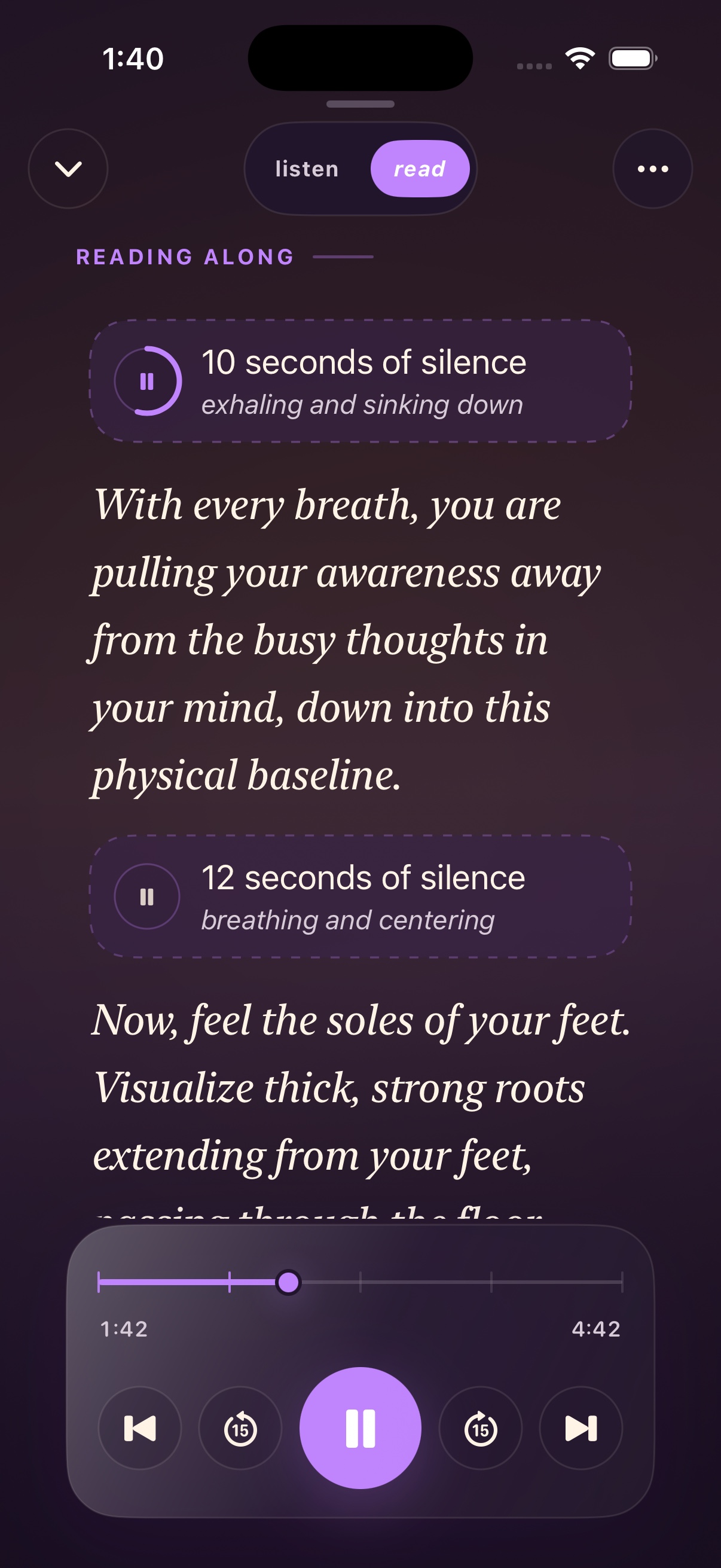
- Time: pauses leave room to notice, imagine, move, or answer.
- Sound: optional background music and sound effects can support the atmosphere or mark a moment.
- Recognition: a title and cover help you identify the practice when you return.
A short instruction followed by silence may be all you want. See the music guide and pause guide for specific choices.
Review the draft, then produce the recording
Read the script before narration if the wording matters closely to you. In this example, a line such as “Forget everything that happened today” might feel dismissive. Ask to replace it with “The day happened, and I can choose what I give attention to now.”
Choose an available narrator. Your own voice is an optional choice for eligible active paid accounts when capacity is available, not a requirement for personalization. Free accounts and trials are not eligible to create a personal voice.
Once the script and choices fit, ask Manai to produce the audio. Wait for the recording to become ready to play. A draft, a message confirming the request, and completed audio are different stages.
Revise the thing that missed
Name the mismatch: “Shorten the opening,” “replace the ocean scene with my front door,” or “give me more time after the question.” Review the updated recording after production completes.
Check playback and return through your Library
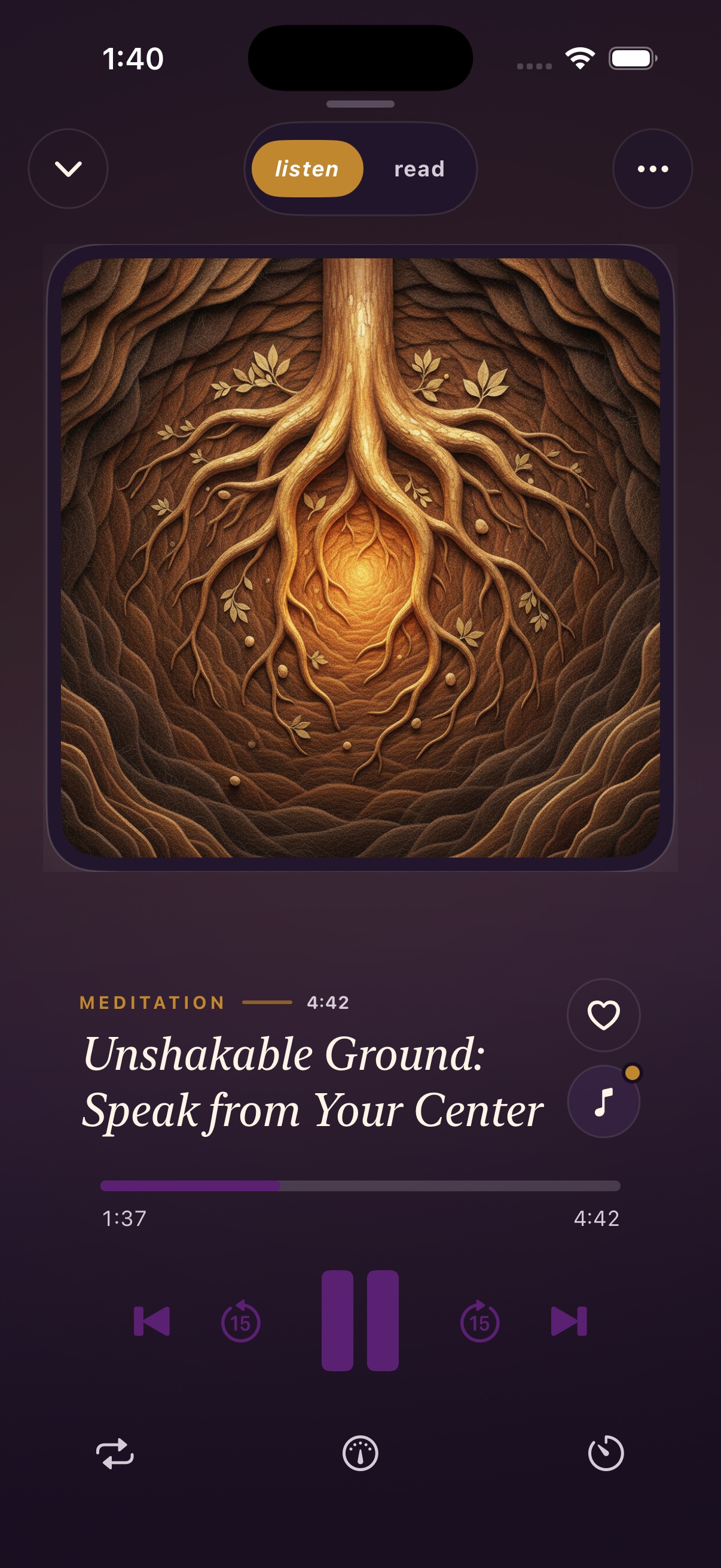
Open the finished practice in the player and listen once. For “Putting work down,” check that the voice is understandable over the music, that the reflection leaves you enough time, and that the final quiet interval has the sound you requested. Pause playback if you need longer to respond. Verify silence in the audio.
If you change the words, produce updated narration before expecting to hear the revision. Check the intended audio version rather than assuming an earlier recording has changed.
Keep the recognizable title and save the practice in your Library. Next time, open that item and play it instead of asking for another generation. Creation shapes the recording; replay lets you use something familiar. Your plan’s listening limits still apply. The save-and-replay guide explains recent and liked items and preparing an iPhone download for offline listening.
If you already develop your ideas in ChatGPT, the standalone ChatGPT and Manai comparison explains the difference between a spoken conversation and a saved practice, including the separate option of connecting Manai.
Frequently asked questions
Do I have to supply a script?
No. A personal situation and a clear intention are enough to begin. You can supply phrases you want included or revise the draft as you go.
Does one request automatically add music and effects?
No. Those are choices, not requirements for every practice. Say whether you want an uncluttered voice track, background music, or a particular kind of cue.
Can I change the cover art?
Manai supports changing a practice’s cover art. Use a recognizable image to distinguish routines; changing a cover is separate from changing the spoken guidance.
Can I share the finished practice?
You can choose to share supported saved content. Shared links may be forwarded and recipients may need to sign in. Check what personal details the practice contains before making it available to someone else. See the FAQ for access details.
Create your personal practice with Manai →
Manai offers educational wellness practices. It is not medical care, diagnosis, or treatment. If a practice feels uncomfortable, stop. Seek qualified support for health concerns or urgent distress.